

On The Job Training
Training is conducted immediately after the engineer completes installation, for the staff who will manage the system (Admin Systems), taking place right after the engineer finishes setup.

Software Training
To ensure that your devices and systems — Server, Network, Security, Software, and Cloud Services — are used to their fullest potential, we provide training services for equipment and software in the following formats:
Training is conducted immediately after the engineer completes installation, for the staff who will manage the system (Admin Systems), taking place right after the engineer finishes setup.

Group-based training for 5–50 participants, covering topics tailored to your needs. Training can be held at the client's premises or at a venue arranged by our company.

Online training via Microsoft Teams or Zoom, available as full-day or half-day sessions. Course content can be tailored to client requirements.
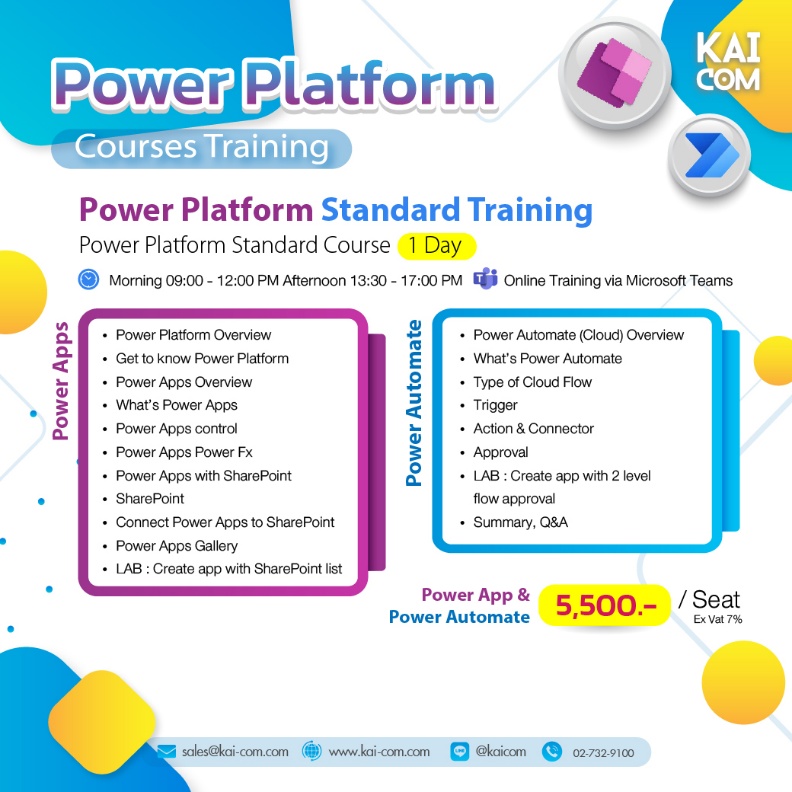
Power Apps / Power Automate
Price per course: 5,500.- /Seat (Ex Vat 7%)
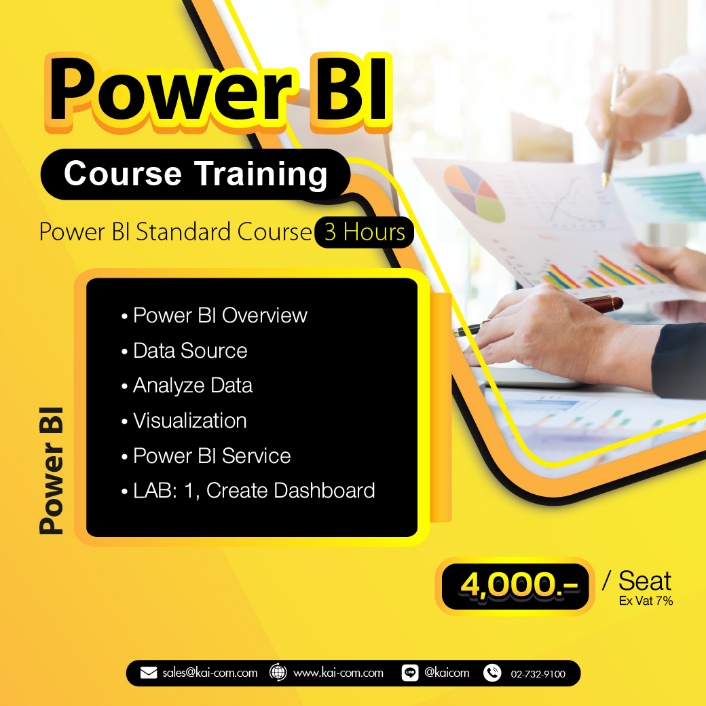
Power BI Standard Course 3 Hours
Price per course: 4,000.- /Seat (Ex Vat 7%)
Power BI Standard Course 3 Hours
Price per course: 3,000.- /person (Ex Vat 7%)
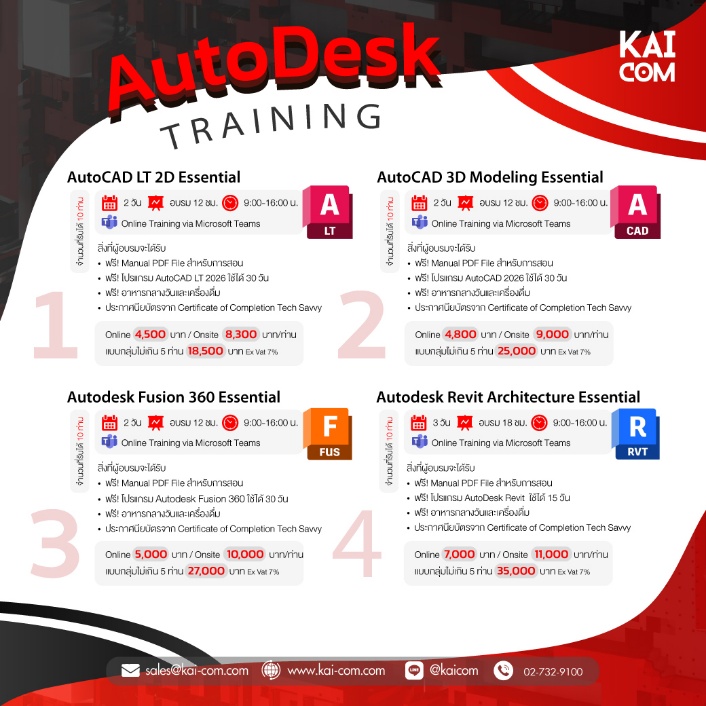
AutoCAD LT 2D / AutoCAD 3D Modeling Essential /
Autodesk
Fusion 360 / Autodesk Revit Architecture Fundamen
Price per course: 4,500.- /person (Ex Vat 7%)
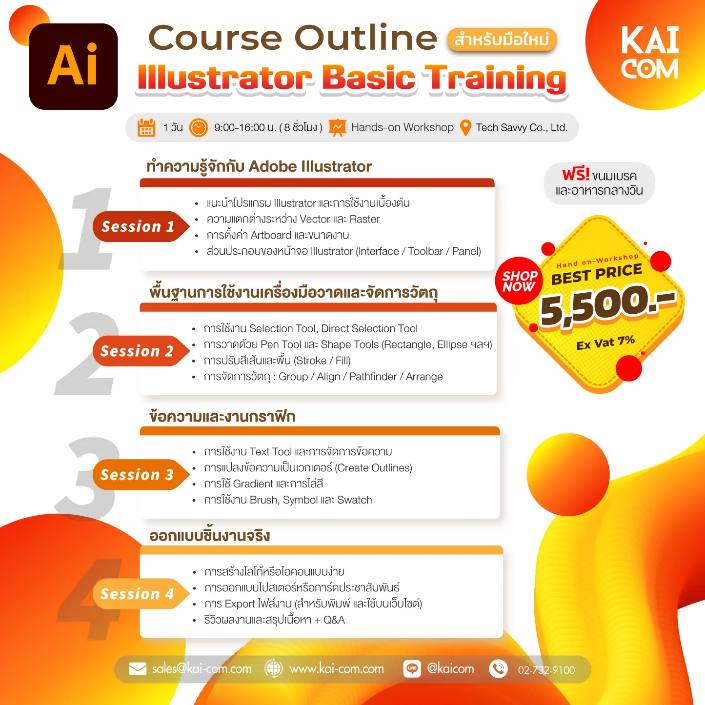
Basic Training
Price per course: 5,500.- /person (Ex Vat 7%)
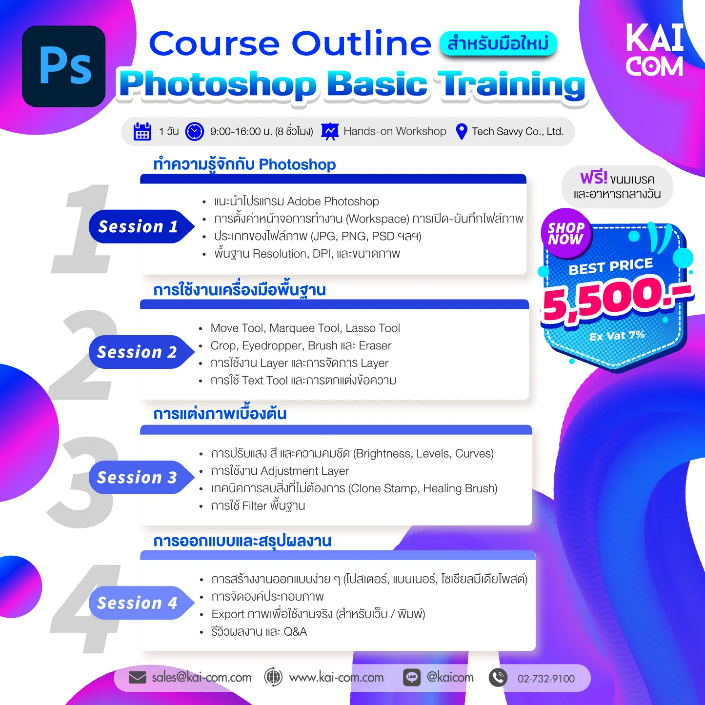
Basic Training
Price per course: 5,500.- /person (Ex Vat 7%)
To ensure that your devices and systems — Server, Network, Security, Software, and Cloud Services — are used to their fullest potential, we provide training services for equipment and software in the following formats:


(VMware, Nutanix, Hyper-V and Sangfor)


KAI-COM offers training in Microsoft, AI, Adobe, Autodesk, Virtualization, Server Infrastructure, Firewall, and Cyber Security for organizations of all sizes. Courses can be customized to suit each client's business needs.
Suitable for executives, general staff, IT Administrators, System Engineers, Network Engineers, Data Analysts, Graphic Designers, and Digital Transformation teams.
Yes, we offer In-house Training that can be conducted within your organization, with workshop content tailored to the actual workflows of each department.
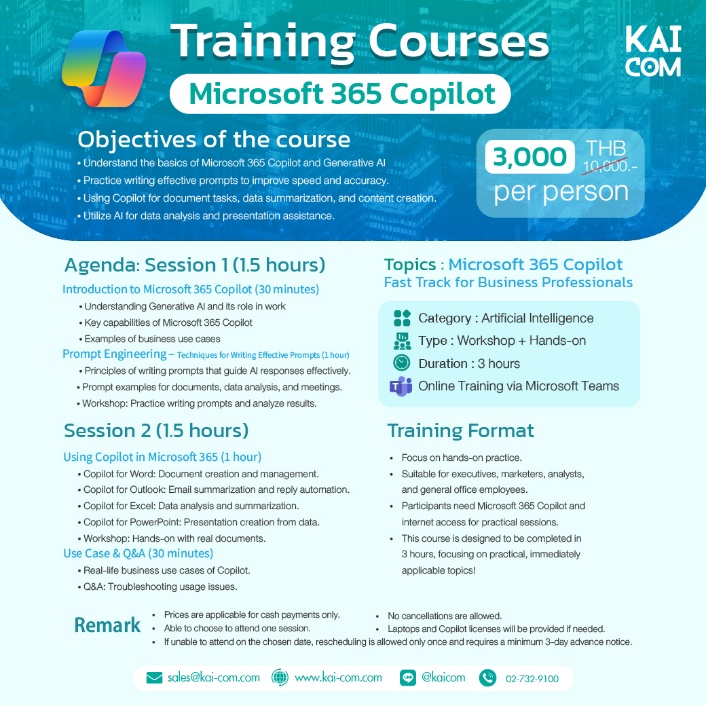
Microsoft Copilot Training is a course that helps users leverage AI to create documents, analyze data, summarize meetings, and boost productivity within Microsoft 365.
Power BI Training enables organizations to build dashboards, analyze data, and use insights to make effective business decisions.
Power Apps is used to build internal applications, while Power Automate is used to create automated workflows that reduce repetitive tasks.
Suitable for IT administrators responsible for managing Users, Licenses, Security Policies, Exchange Online, Teams, and SharePoint within an organization.
Participants will learn graphic design, image editing, marketing material creation, and digital media design for business.
Suitable for marketing teams, content creators, and organizations looking to develop video production skills for communication and online marketing.
AutoCAD focuses on 2D and 3D drafting, while Revit focuses on design and project management using BIM (Building Information Modeling).
A course on applying AI to summarize information, analyze documents, generate reports, and boost organizational productivity.
Covers Hyper-V S2D, Proxmox VE, Nutanix, Sangfor HCI, and VMware vSAN for Data Center and Private Cloud management.
Helps organizations defend against cyber threats, reduce risks from Ransomware, Phishing, and network attacks, while building Security skills for the IT team.
A Certificate of Completion can be issued to participants who meet each course's requirements, and a training results report can be prepared for the organization.
Yes. KAI-COM can tailor the training content, duration, and delivery format to match your organization's objectives, business processes, and participants' skill levels, ensuring practical knowledge that can be applied effectively in the workplace.

Free shipping nationwide
Free shipping

Genuine guarantee!
Authenticity Guaranteed!

Request a quotation
Request your quotation

Free consultation
Help when you need it