


Power Apps
Application development platform
(App development)

We are application specialists with a developer team of over 20 years of experience, combining deep business understanding with a modern new-generation approach. As certified Office 365 Product Implementers, we recognized the full potential of PowerApps and leverage it to help organizations modernize their operations, work more efficiently, reduce errors, and lower costs.

Application development platform
(App development)

Business analytics program
(Business analytics)

Workflow automation tool
(Process automation)

Chatbot builder tool
(Intelligent virtual agents)

Web page builder
(External-facing websites)
Manages organizational expense requests. Fund approvers can approve or reject any reimbursement requests received directly from the requester or employee.
An application for creating Sales Orders, enabling users to create sales orders anytime, anywhere, 24 hours a day. It increases convenience and speed, perfectly suited for today's fast-paced environment. It transforms the traditional, time-consuming process into a streamlined workflow accessible via computer, smartphone, or tablet — meeting the needs of modern organizations.
A purchase requisition application built on Power Apps that records item purchase requests for business use. Traditionally, purchasing and issuing purchase orders is handled by the procurement department, making budget control difficult. This app allows each department to submit purchase requests that must be approved by management or authorized personnel first, preventing unauthorized purchases and reducing employee fraud.
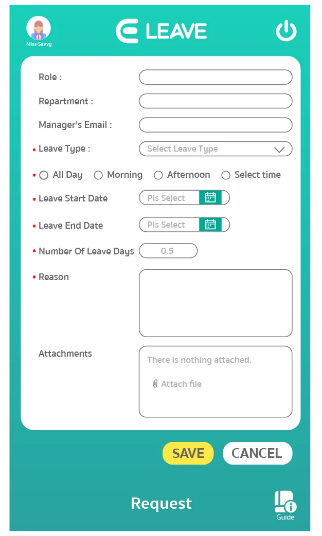
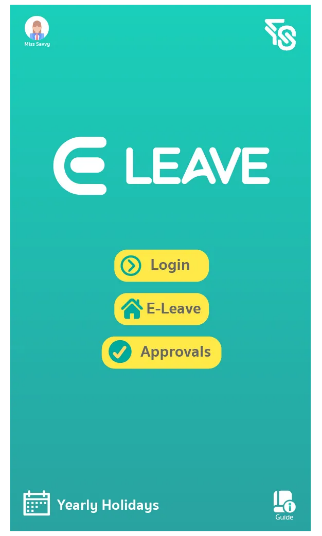
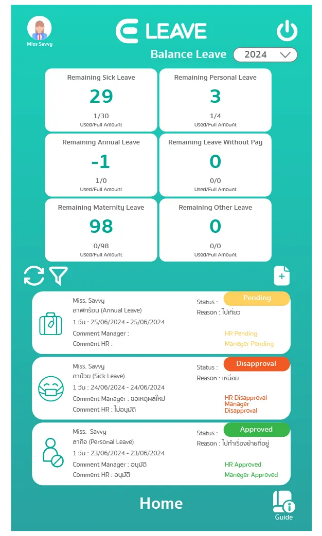
An application for submitting leave requests, displaying remaining leave days, annual holidays, and leave history. Approvals can also be done via MS Teams or Email.
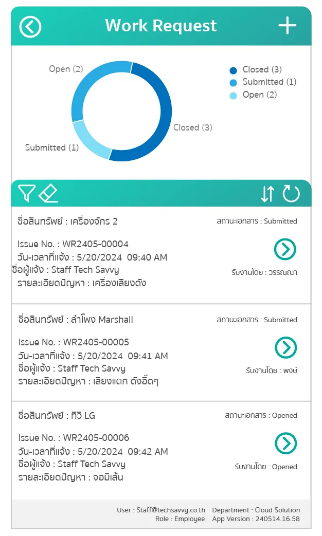
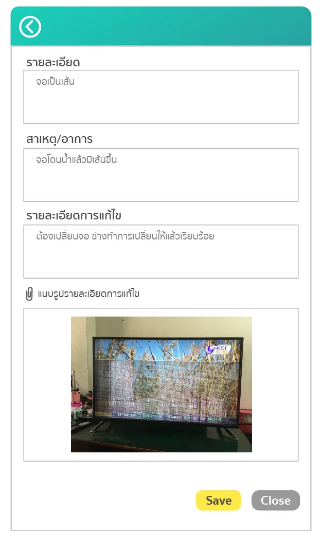
An application for reporting repairs and maintenance issues within the company. Users can prioritize repair requests, specify the quantity of items being sent for repair, and streamline internal operations effectively.
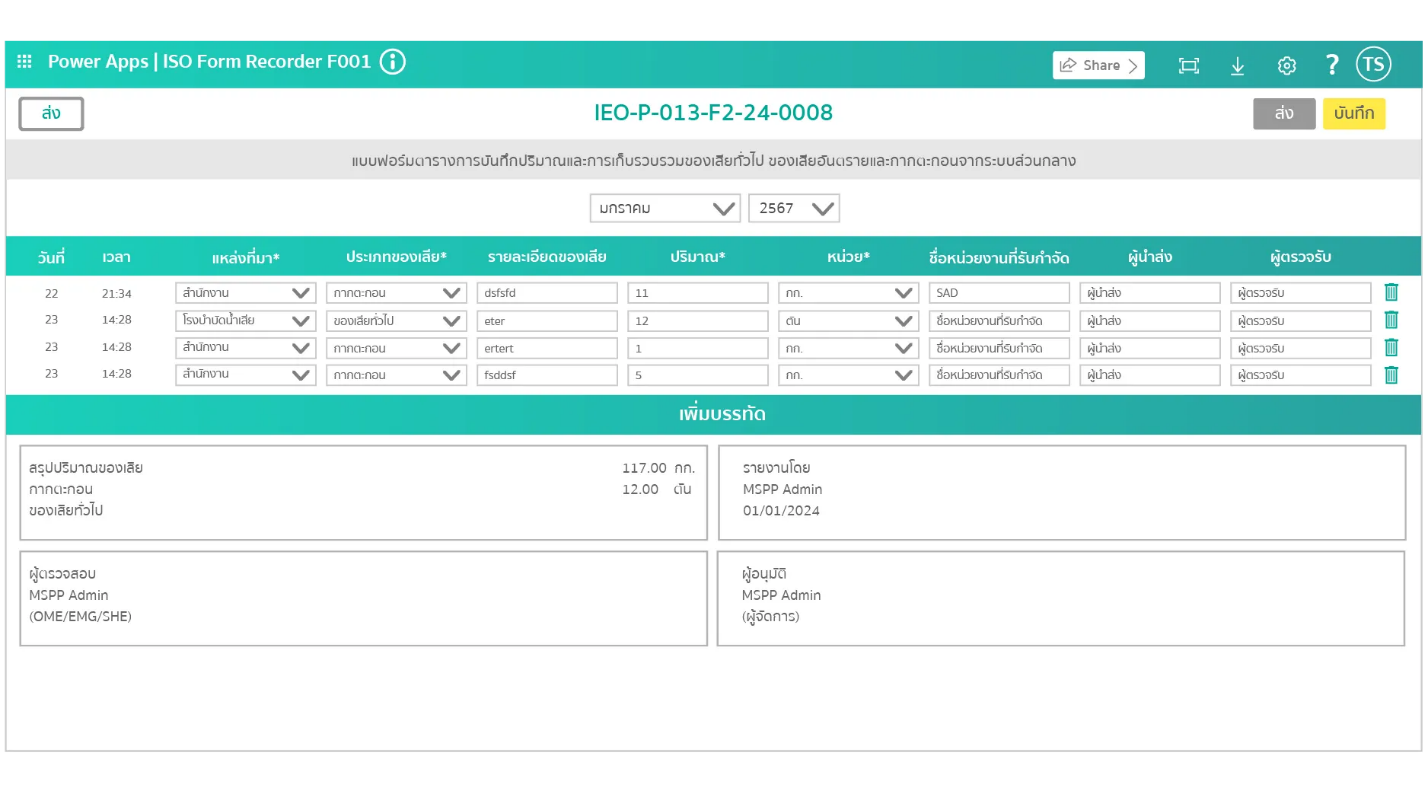
An application for managing and storing documents within your organization. Files can be shared online via SharePoint as needed, with fast document search and easy tracking for future retrieval.
An application for logging field work activities. When employees work on-site at a client location, they can record their work through the app. It also supports approvals via the app and provides data summaries and analysis.
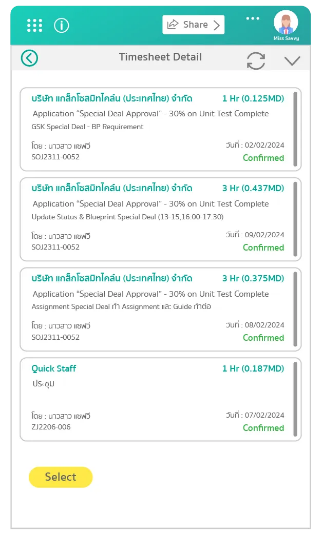
An application for logging daily work activities. Users can select assigned Jobs and Tasks, and managers can assign jobs to employees.
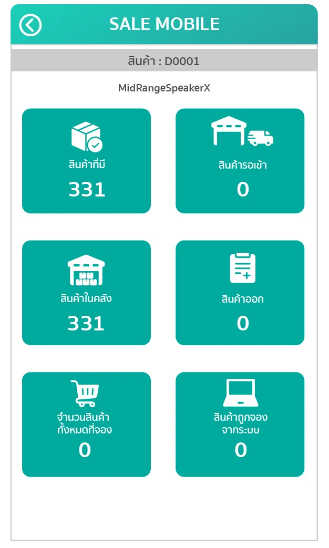
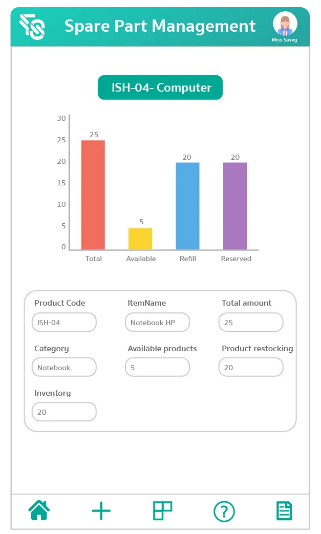
An application for inventory control, including goods receipt and goods issue transactions, stock checking, multi-warehouse support, storage location assignment, history tracking, and barcode-based stock counting.
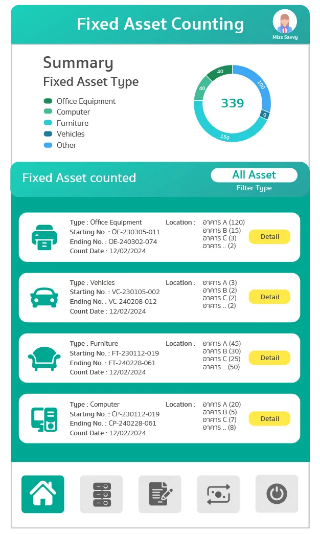
An application for counting organizational assets using a barcode reader. Each asset unit has a barcode label attached, enabling accurate and efficient asset verification across the organization.
An application for booking meeting rooms, clearly displaying booking details and room availability status. It also supports cancellation of reservations when the room is no longer needed.
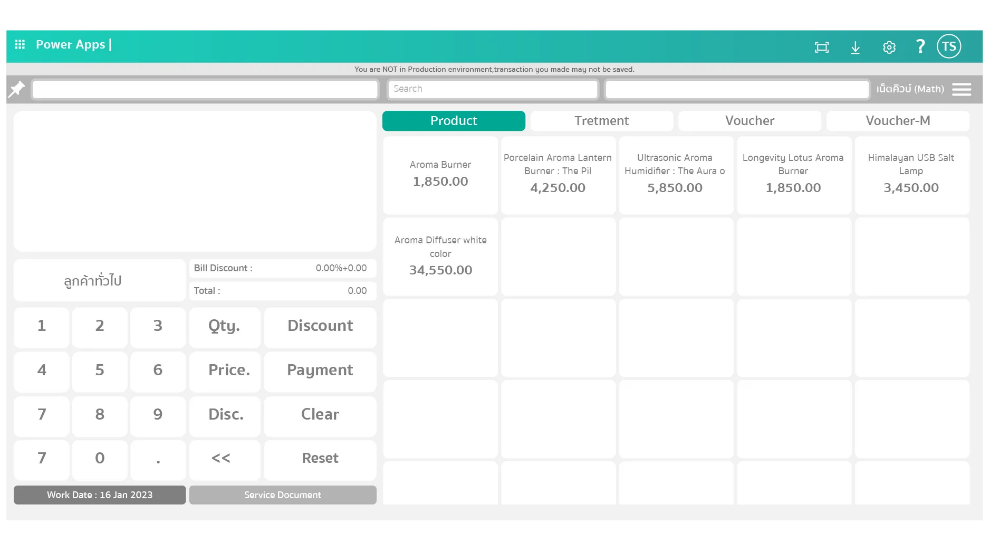
A point-of-sale application for retail checkout. Features include product browsing, receipt printing with Barcode and QR code, product search, tax and end-of-bill discount calculation, and support for both standalone use and integration with Dynamics 365.
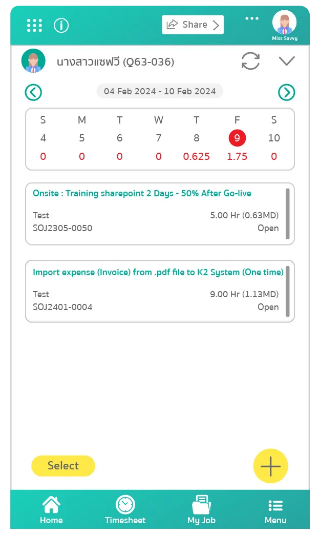
A contract and certificate management system with comprehensive document management features covering the entire contract lifecycle — from drafting and approval to signing and archiving within the system.
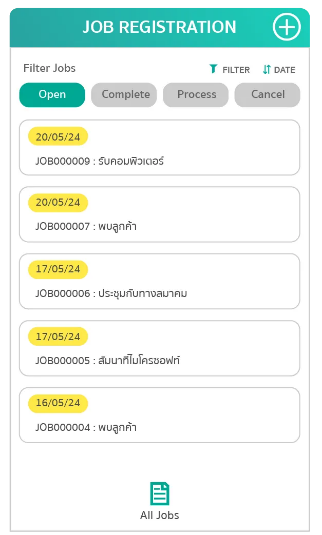
An application for approving IT equipment loan requests, including computers, notebooks, keyboards, mice, and more. Approvals can also be processed via Microsoft Teams or Email.
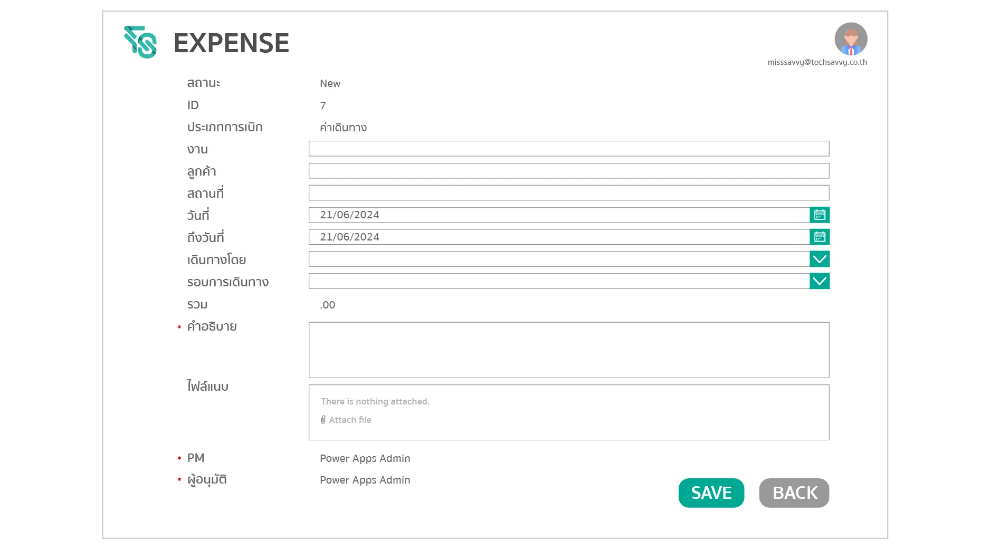
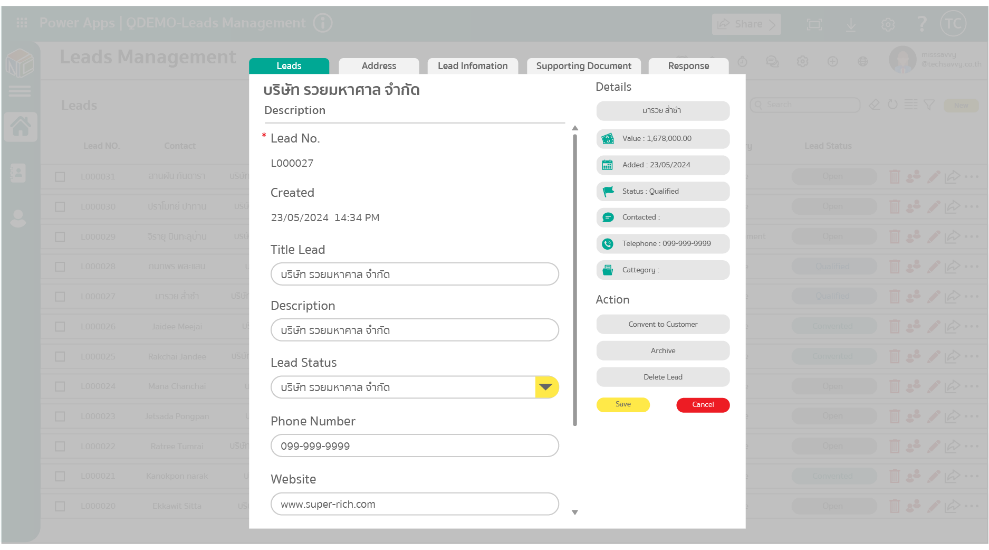
An application for managing customer data and sales activities. It helps sales teams capture leads, schedule appointments, and segment target customers to maximize sales effectiveness.
Together, these tools make building applications and processing data simple and efficient for businesses and developers alike. With this suite, organizations can customize and develop applications to meet their needs more effectively than ever.
Microsoft Power Platform is a low-code platform for building business applications, automating workflows, analyzing data, and creating websites. It includes Power Apps, Power Automate, Power BI, Power Pages, and Copilot Studio, enabling organizations to accelerate digital transformation while reducing development time and costs.
Power Platform is suitable for organizations of all sizes that want to automate business processes, develop internal applications, improve productivity, and integrate data across Microsoft 365, SharePoint, Dynamics 365, ERP, CRM, and other business systems.
Yes. KAI-COM provides custom application development using Microsoft Power Apps, including approval workflows, leave management, asset management, expense management, document management, and other business-specific solutions tailored to your organization's requirements.
Yes. Power Platform integrates seamlessly with Microsoft 365, SharePoint, Microsoft Teams, Outlook, Excel, SQL Server, Dynamics 365, and many third-party systems through built-in connectors and APIs.
Power Platform automates repetitive tasks, reduces manual processes, accelerates application development with low-code tools, and provides real-time business insights, helping organizations improve productivity while lowering operational costs.
Yes. KAI-COM offers end-to-end Power Platform services, including consulting, solution design, application development, implementation, user training, and ongoing technical support to help organizations maximize their Microsoft investment.
Microsoft Power Platform includes Power Apps, Power Automate, Power BI, and Microsoft Copilot Studio, enabling organizations to build applications, automate workflows, analyze data, and develop AI-powered chatbots using low-code development.
Yes. Power Platform is designed for organizations of all sizes, helping businesses automate repetitive tasks, improve operational efficiency, and develop custom business solutions without extensive software development.
Yes. Power Platform integrates with Microsoft 365, Dynamics 365, SQL Server, SharePoint, Excel, ERP systems, CRM platforms, and hundreds of third-party applications through connectors and APIs.
Yes. Power Platform provides low-code and no-code tools that allow users to create applications, workflows, dashboards, and business processes with minimal programming knowledge.
Power Platform automates repetitive tasks such as approval workflows, notifications, data collection, and system integrations, helping organizations increase productivity and reduce manual errors.
Yes. Power Platform integrates with Microsoft Entra ID (Azure Active Directory) and Microsoft's security framework to provide identity management, role-based access control, and data protection.
Implementation time depends on the complexity of the project. Simple solutions can be deployed quickly, while enterprise-level applications with multiple integrations may require additional development time.
Power Platform applications can be accessed through web browsers, smartphones, and tablets running Windows, iOS, or Android, enabling users to work from virtually anywhere.
Yes. KAI-COM offers consulting, solution design, development, deployment, training, and ongoing technical support to help organizations successfully adopt Microsoft Power Platform.

Free shipping nationwide
Free shipping

Genuine guarantee!
Authenticity Guaranteed!

Request a quotation
Request your quotation

Free consultation
Help when you need it