IT Asset Management

IT Asset Management

AssetView / AssetView Cloud+

AssetView is a comprehensive IT Asset Management and IT security management software that covers IT asset tracking, mobile device control, antivirus protection, and PC activity logging — helping organizations strengthen security without compromising operational efficiency.

This solution also supports personal data protection guidelines and internal governance, giving IT teams greater visibility into system status and enabling centralized management.

AssetView logo

Common Challenges Organizations Face

  • Employees install unauthorized software, increasing the risk of malware and license non-compliance.
  • IT teams lack complete visibility into hardware and software on PCs and notebooks.
  • Delayed patches and updates create security vulnerabilities.
  • Audits and compliance are difficult and time-consuming, especially around software licensing.
Illustration for common IT asset management problems

Why Choose AssetView for IT Asset Management?

  • Developed in Japan with over 20 years of continuous experience.
  • Helps reduce organizational costs with flexible license scaling — add or reduce as needed.
  • Choose only the features your organization needs, or opt for a ready-made package.
  • Covers both PC management and internal security.
  • Trusted by a large number of organizations in Japan, with built-in support for PDPA compliance.
AssetView benefits diagram

AssetView IT Asset Management Features

  • ・Hardware information management
  • ・Installed software management
  • ・License management
  • ・Surveys
  • ・Software list
  • ・License usage requests
  • ・PC status monitoring
  • ・Automated file distribution
  • ・Automated program execution
  • ・Configuration changes
  • ・Automated shutdown / restart
  • ・Automated PC control
  • ・Multicast distribution
  • ・WSUS integration
  • ・PC activity log collection
  • ・File tracking and control
  • ・Alerts when a program is launched or blocked
  • ・Alerts on file usage
  • ・Operation status graphs
  • ・Basic website monitoring (e.g., blocking inappropriate websites)
  • ・Windows Firewall management
  • ・Automated file distribution
  • ・Automated program execution
  • ・Configuration changes
  • ・Automated shutdown / restart
  • ・Automated PC control
  • ・Multicast distribution
  • ・WSUS integration
  • ・Detect unauthorized PCs
  • Block untrusted PCs
  • ・Automatic network device registration
  • ・Control settings at the IP address unit level
  • ・Remote control of client machines
  • ・Execute programs remotely
  • ・Display messages
  • ・Internet access control
  • ・Automatic database updates
  • ・Communication control software
  • ・Web content writing rule control
  • ・Set passwords for files
  • ・Control or delete leaked files
  • ・Alert function
  • ・Automatically set file passwords
  • ・Active Directory integration
  • ・Automatic encryption of email attachments (* Microsoft Outlook only)
  • ・Alert function
  • ・Visual settings
  • ・Password management function
  • ・File encoding function
  • ・Virus scanning
  • ・Real-time monitoring
  • ・Automatic scan on USB connection
  • ・Behavioral analysis
  • ・Ransomware protection
  • ・Anti-spam protection
  • ・Phishing protection
  • ・Threat protection dashboard
  • ・Collect data on organizational blind spots
  • ・Alerts on urgent issues to be aware of
  • ・Check PCs for vulnerabilities
  • ・Automatic patch downloads
  • ・Patch sharing and deployment
  • ・Email send/receive log collection
  • ・Attachment file logging
  • ・Webmail log collection
  • ・Search from email logs
  • ・On-screen activity recording
  • ・Screenshot capture of suspicious activity
  • ・Can be used to record various schedules
  • ・Time-shift recording
  • ・Login data logging and management
  • ・ID verification
  • ・Alerts
  • ・Threat protection dashboard
  • ・User ID collection
  • ・Folder access rights collection
  • ・Active Directory data collection
  • ・Automated report generation
  • ・Automated data backup
  • ・Automated version upgrades
  • ・Screen program settings function
  • ・Navigation
  • ・Messaging
  • ・Battery management (vPro / WOL)
  • ・Link button settings

How AssetView Solves These Problems for You

  • Protect against new and emerging viruses
  • Automate system updates
  • Manage newly added IT assets from day one
  • Prevent internal fraud
  • Monitor user behavior
  • Automate complex tasks

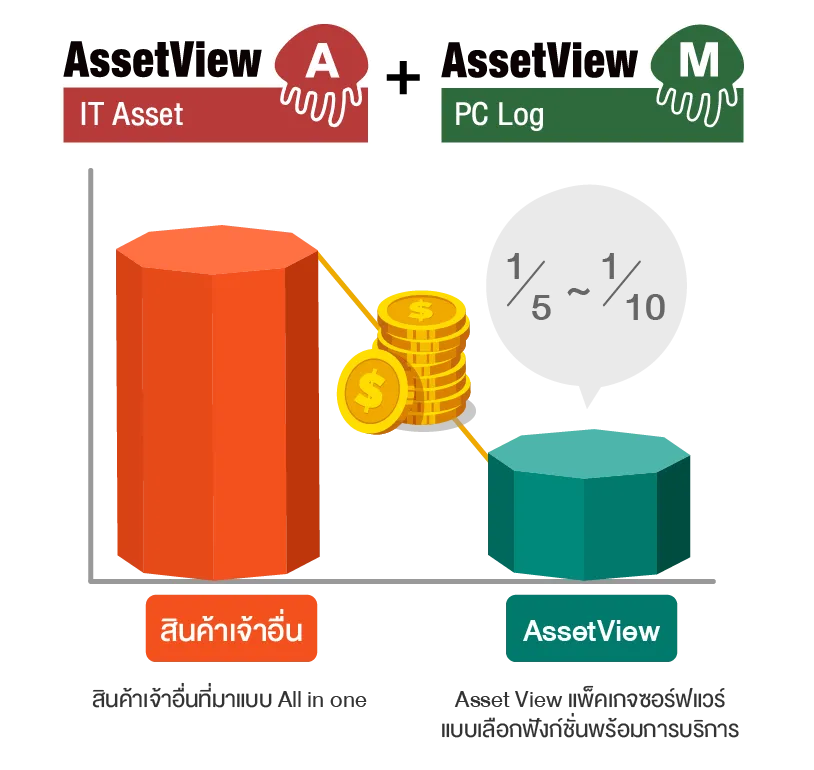
Highly Efficient Through Integrated Management

AssetView helps reduce TCO and eliminates the need for multiple separate tools, enabling organizations to manage IT operations cost-effectively and flexibly — with the ability to add functions as needed.
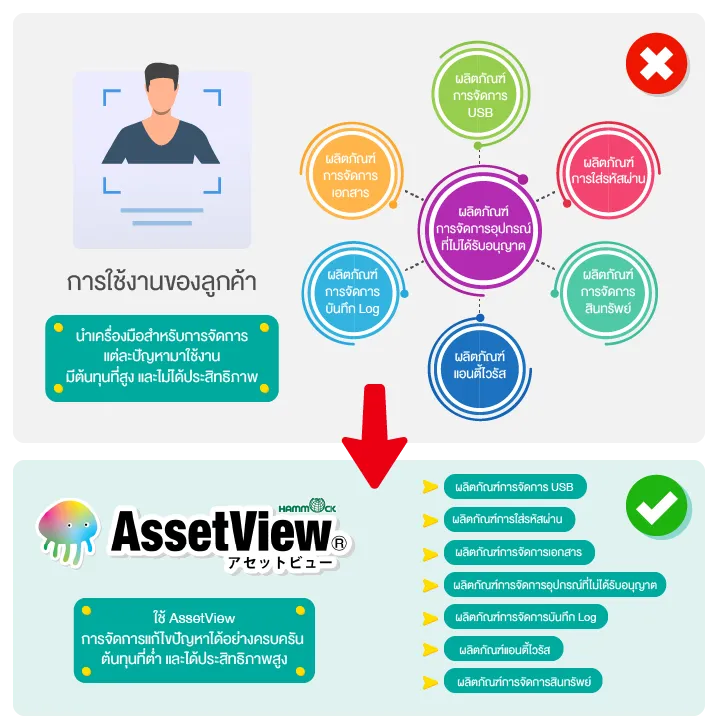
AssetView integrated management diagram

What Is AssetView Cloud+ and Why Every Modern Organization Needs It

AssetView Cloud+ is a cloud-based IT Asset Management software that gives organizations complete visibility and control over PC, Notebook, and Server devices — covering everything from Hardware and Software to Patch management, Compliance, and Security. It also comes with built-in security features to prevent data leakage and protect against unauthorized access, whether from external or internal threats.

This solution is designed for the Hybrid Work / Remote Work era, accessible via web browser from anywhere, while reducing the infrastructure management burden on IT teams.

Benefits of AssetView Cloud+

  • No infrastructure investment required — runs entirely on Cloud Service.
  • Easy to set up via web browser — simply install the Agent on each machine.
  • Automatic feature and patch updates.
  • Access the Dashboard and manage devices from anywhere.
  • Reduces IT system administration workload and speeds up management.

With these strengths, AssetView Cloud+ is the ideal IT Asset Management solution for modern organizations that demand both Security and Efficiency in managing their IT infrastructure.

AssetView Cloud illustration

Key Strengths of AssetView Cloud+ That Give Organizations Confidence

AssetView Cloud+ was developed in Japan and is trusted across a wide range of industries including finance, banking, universities, hospitals, and manufacturing — with the following key strengths:
  1. Multi-function coverage across Hardware, Software, and Licensing.
  2. Flexible Licensing — choose only the features you need.
  3. Cloud-Based — reduces infrastructure costs.
  4. Hybrid / Remote Ready — manage devices from anywhere.
  5. All-in-One Platform — consolidates multiple capabilities into a single system.
  6. Policy Control — set policies by department or user group.
  7. Proven by over 10,000 organizations with a long track record of continuous development.
  8. Supported by Kai-Com specialists from installation through after-sales service.
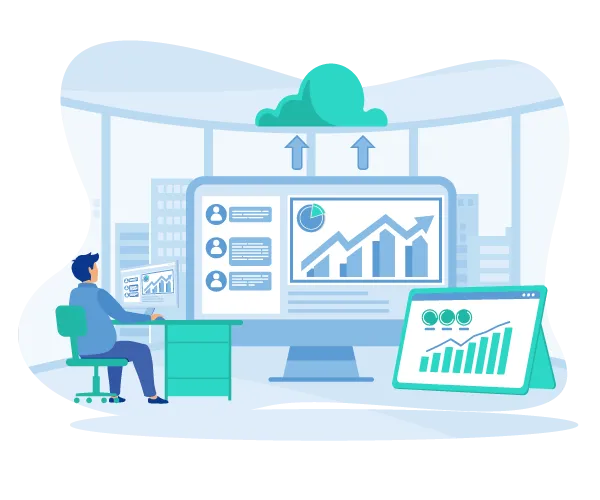
AssetView Cloud key strengths illustration

AssetView Cloud+ Packages

Covering 3 core packages

1. IT Asset Management Package

Ideal for organizations that need comprehensive IT asset data collection and centralized management of PCs, Notebooks, and Servers.

  • Collect and manage hardware information
  • Inspect and manage installed applications
  • Monitor and control software license counts
  • Distribute files or run applications from a central location

2. Windows Management Package

Ideal for organizations that need systematic control over Windows updates.

  • Centrally download patches and distribute to client machines
  • Plan and control FU / QU updates with status reporting
  • Manage Windows updates in line with organizational policy
  • Disable automatic Windows updates as needed

3. Data Loss Prevention (DLP) Package

Ideal for organizations that prioritize data leak prevention and internal device control.

  • Search for files containing personal or confidential data
  • Automatically quarantine or delete at-risk files
  • Control usage of USB, Wi-Fi, and Bluetooth devices
  • Supports a device usage approval workflow

FAQ

What is IT Asset Management (ITAM)?

IT Asset Management (ITAM) is a centralized solution for managing an organization's IT assets, including computers, notebooks, software, and network devices. It enables organizations to track, monitor, and manage IT assets throughout their lifecycle.

What types of devices can AssetView manage?

AssetView supports the management of desktops, notebooks, and installed software. It provides real-time visibility into hardware information, software inventory, and device status from a centralized dashboard.

How does IT Asset Management improve enterprise security?

AssetView helps organizations enhance security by detecting unauthorized software installations, managing software licenses, monitoring system updates, and recording device activity, reducing security risks and improving IT governance.

Can I monitor hardware and software information across all devices?

Yes. Administrators can view hardware specifications, installed software, device status, and asset information for all managed devices through a centralized dashboard, making IT management more efficient.

Does AssetView support software license management?

Yes. AssetView helps organizations monitor software license usage, compare installed licenses with purchased licenses, and maintain software license compliance.

Does KAI-COM provide IT Asset Management deployment and support?

Yes. KAI-COM offers end-to-end IT Asset Management services, including consultation, solution design, implementation, deployment, and ongoing technical support to help organizations manage their IT assets efficiently and securely.

KAI-COM Line Contact via Line
Free shipping nationwide

Free shipping nationwide

Free shipping

Genuine guarantee!

Genuine guarantee!

Authenticity Guaranteed!

Request a quotation

Request a quotation

Request your quotation

Free consultation

Free consultation

Help when you need it