


Power BI Desktop
Desktop application for local use

Power BI is a business analytics toolset developed by Microsoft that enables users to create Dashboards, Reports, and Data Analytics efficiently.
Desktop application for local use

Cloud-based system for data storage

View reports on both Android and iOS devices

Syncs external data and uploads it to the Cloud

- Power BI can connect to a wide variety of data sources such as SQL Server databases, Excel, Google Analytics, SharePoint, Dynamics 365, and other online services.
- Supports simultaneous connections to multiple data sources at once.

- Power Query is used to transform and clean data before building reports.
- Handles incomplete data, removes duplicates, reformats data, and more.

- Build reports with visualizations including charts, tables, maps, and other data insights.
- Design dashboards that consolidate data from multiple sources in one place.

- Uses DAX (Data Analysis Expressions) for creating formulas and performing calculations.
- Create and customize charts, tables, and maps for in-depth analysis.

- Share reports and dashboards with other users via Power BI Service (Cloud-based) or Power BI Report Server (On-premises).
- Configure access controls and permission management for different users.

- Configure automatic data refresh to keep reports and dashboards always up to date.

- Mobile applications (iOS, Android) are available to access reports and dashboards from anywhere.

A desktop application for creating reports and analyzing data on your computer.

An online service for publishing, sharing, and managing reports and dashboards.

A mobile application for accessing data from any mobile device.

For organizations that require data and reports to be stored in an On-premises environment.

Helps you see data in an easy-to-understand format for more accurate decision-making.

Easily share data and reports between teams and across the organization.

Powerful tools for data preparation and advanced analytics.
Discover Power BI, the business analytics toolset for analyzing data and sharing insights. Power BI Dashboards update in real time and are accessible from any device.
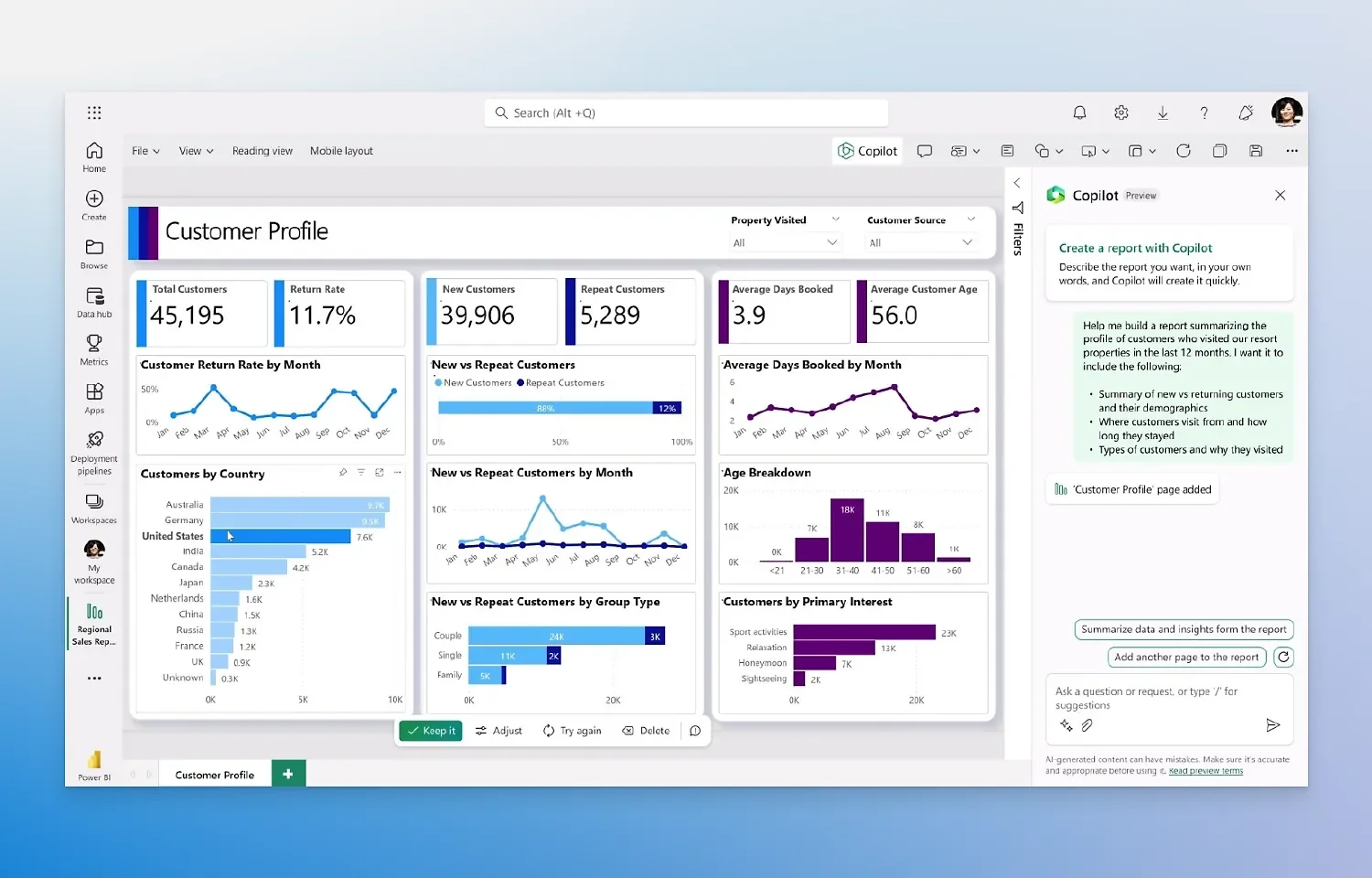
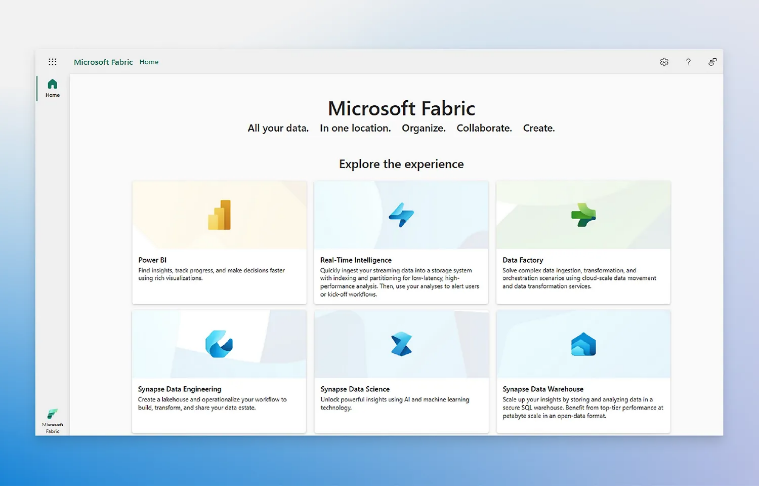
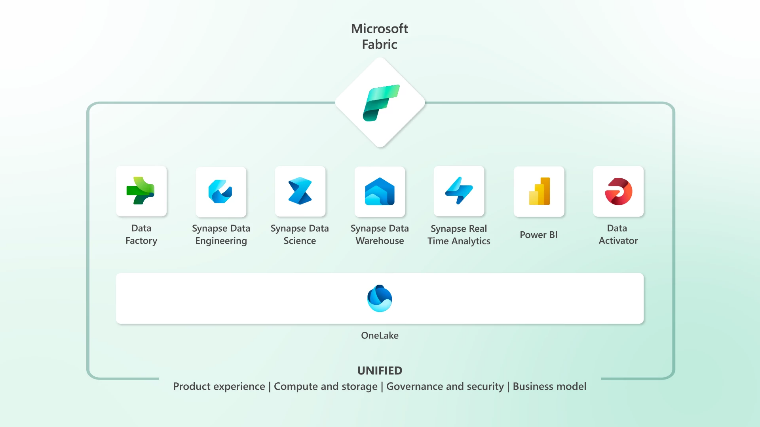
Microsoft Power BI is a Business Intelligence (BI) platform that enables organizations to connect, analyze, and visualize data through interactive dashboards and reports, helping businesses make faster and more informed decisions.
Power BI connects to a wide range of data sources, including Excel, SQL Server, SharePoint, Microsoft 365, Azure, ERP, CRM, cloud services, and many third-party platforms through built-in connectors.
Power BI is suitable for organizations of all sizes that need to analyze sales, finance, marketing, operations, manufacturing, and HR data while monitoring KPIs through real-time dashboards and reports.
KAI-COM provides end-to-end Power BI services, including dashboard design, report development, data integration, implementation, consulting, user training, and ongoing technical support tailored to business requirements.
Yes. Power BI supports real-time dashboards and scheduled data refresh, enabling organizations to monitor key business metrics and respond quickly to changing conditions.
Power BI transforms raw data into meaningful visual insights, allowing decision-makers to identify trends, monitor KPIs, discover opportunities, and make data-driven decisions with greater confidence.
Power BI is designed for business intelligence and interactive data visualization. It connects to multiple data sources, refreshes data automatically, and provides interactive dashboards that are easier to share across an organization than Excel.
Yes. Power BI connects to SQL Server, Microsoft Excel, SharePoint, Dynamics 365, Azure, ERP systems, CRM platforms, and many third-party databases and cloud services.
Yes. Power BI supports scheduled data refresh, allowing reports and dashboards to automatically display the latest information from connected data sources.
Power BI is suitable for organizations of all sizes across departments such as sales, finance, accounting, manufacturing, logistics, marketing, and executive management.
Yes. Power BI allows organizations to securely share dashboards and reports through Power BI Service with role-based access permissions.
Yes. Power BI supports data encryption, role-based access control (RBAC), and integration with Microsoft Entra ID to ensure secure access to business data.
No. Power BI offers an intuitive drag-and-drop interface for business users while also providing advanced features for data analysts and developers.
Yes. KAI-COM offers consulting, dashboard design, report development, data integration, and business intelligence solutions tailored to organizational needs.
Yes. KAI-COM provides Power BI deployment, system configuration, database integration, user training, and ongoing technical support to help organizations maximize the value of their business data.

Free shipping nationwide
Free shipping

Genuine guarantee!
Authenticity Guaranteed!

Request a quotation
Request your quotation

Free consultation
Help when you need it