KC-TOUCH
SMART BOOKING FOR YOUR WORKPLACE

Meeting Room Booking System
Car & Desk Booking
and Asset Booking for Organizations

KC TOUCH is an enterprise resource booking system that brings meeting rooms, company cars, desks, and equipment together in one platform.

All your bookings in one place, making it easy to manage your organization's resources.

System Features

What is KC TOUCH? Enterprise Resource Booking in One Platform

Meeting rooms, company cars, desks, and equipment are all booked in one platform, not four separate apps.

01
Meeting Room Booking
Meeting room booking screenshot
  • Real-time search for available rooms
  • Filter by capacity
  • View room photos and facilities
  • TV / Wi-Fi / Teams / Zoom
  • Supports multiple buildings / floors
02
Company Car Booking
Vehicle Booking
Company car booking screenshot
  • Sedan / SUV / Van
  • Vehicle Availability
  • Passenger Capacity
  • Vehicle Location
  • Status: Available / In Use / Booked / Under Maintenance
03
Desk Booking
Workspace / Desk Booking
Desk booking screenshot
  • Floor & Zone Selection
  • Date / Start / End Time
  • Facility Filter
  • Interactive Desk Map
  • Desk Status (Available / Reserved / In Use)
04
Asset Booking
Asset Booking
Asset booking screenshot
  • Computer / Projector / Tablet / Camera
  • Search by category
  • Asset Code & Location
  • Quantity Available
  • Favorite & Book
ChatGPT Image Sep 28, 2026, 09_48_48 PM.png
WORKFLOW

Easy Booking in 4 Steps

Search resources

Search Resources

Search, filter, and check the availability of the resource you need

Select date, time, and resource

Select Date, Time, and Resource

Choose the date, time slot, and resource you want to book

Request approval / confirm

Request Approval / Confirm

Submit a booking request and wait for approval, or get instant confirmation

Check-in and use

Check-in and Use

Check in at the scheduled time and check out when you are done

ROOM DISPLAY

Display & Walk-up Booking

Shows meeting room status in real time and supports on-site walk-up booking via NFC or RFID

Room Name / Current Status / Date / Time
Check in and end meetings from the display
Walk-up booking right at the display
NFC / RFID identity verification
Timeline showing the daily booking schedule
No-show Prevention — resources are released automatically when there is no check-in
FLOOR PLAN

Interactive Floor Plan & Admin

Build interactive floor plans with drag & drop, with real-time resource status shown on the map

Floor Plan Editor
Drag & Drop Resource Placement
Room & Desk Placement
Zone & Building Layers
Resource Status on Map
Save Draft & Publish
Preview Mode
Multi-floor Support
KC TOUCH Interactive Floor Plan & Admin
Multi-tenant Architecture
Company→Branch→Building→Floor→Zone→Resource

Supports multiple companies and branches in a single system

ADMIN

Manage Everything from One Place

A complete Admin Dashboard with Role-Based Access Control for organizations of every size

Management categories6 main categories
1 menu
Overview

Track status and get an overview of system usage

Dashboard
5 menus
Bookings

Manage bookings, approvals, and booking rules

All BookingsCalendarApproval CenterNo-showsReturn Inspection
2 menus
Resources

Manage bookable resources and their availability status

All ResourcesMaintenance
4 menus
Workplaces

Define branches, buildings, floors, and work areas

Companies & BranchesMapsDisplaysUsers & Permissions
4 menus
Configuration

Set system policies, integrations, and notifications

Booking PoliciesNotificationsIntegrationsSystem Settings
3 menus
Reports

Analyze resource usage and booking efficiency

Reports & AnalyticsActivity LogSystem Status
INTEGRATION

Connect with the Tools Your Organization Already Uses

KC TOUCH integrates with Microsoft 365, Google Workspace, and Slack so booking data stays in sync with your organization's calendars.

Microsoft 365

  • Outlook Calendar Sync
  • Microsoft Teams Link
  • User Authentication
  • Meeting Link Generation

Google Workspace

  • Google Calendar Sync
  • Google Meet Link
  • User Authentication
  • Meeting Link Generation
Slack

Slack

  • Booking Notifications via Slack
  • Add appointments to Outlook
  • Reminders before meetings start
  • For organizations that do not use Office 365

Calendar Sync

KC TOUCH
KC-TOUCH
⟷
Microsoft 365
/
Google Workspace
/
Slack
Slack

When a booking is created, the system automatically creates a calendar event and a meeting link (Teams / Meet / Slack)

ANALYTICS

Dashboard & Analytics

Track resource usage in real time with an Executive Dashboard designed for executives and IT

Resource Utilization
Booking Today
No-show / Issue
Top Resources
Booking Trend
Branch Comparison
Peak Time Analysis
Utilization by Floor
KC TOUCH Analytics Dashboard
USE CASES

Who is KC TOUCH For?

Offices with shared meeting rooms

Reduce double-booking confusion and use space more efficiently

Hybrid workplaces

Supports advance desk booking for employees who work from home

Organizations with company cars

Manage vehicle schedules and cut redundant coordination

Teams with equipment to lend

Book and track shared equipment such as projectors and notebooks

Organizations that need a dashboard

Administrators can monitor resource usage and plan allocation from one central view

Multi-Language

🇹🇭 TH🇬🇧 EN🇯🇵 JP🇨🇳 CN

Enterprise-ready Security

Designed for organizations that require strong security and control

Secure Authentication Role-Based Access Control Tenant Isolation Audit Log User Permission Management Booking History Tracking Admin Control
Screenshots

See KC TOUCH in Action

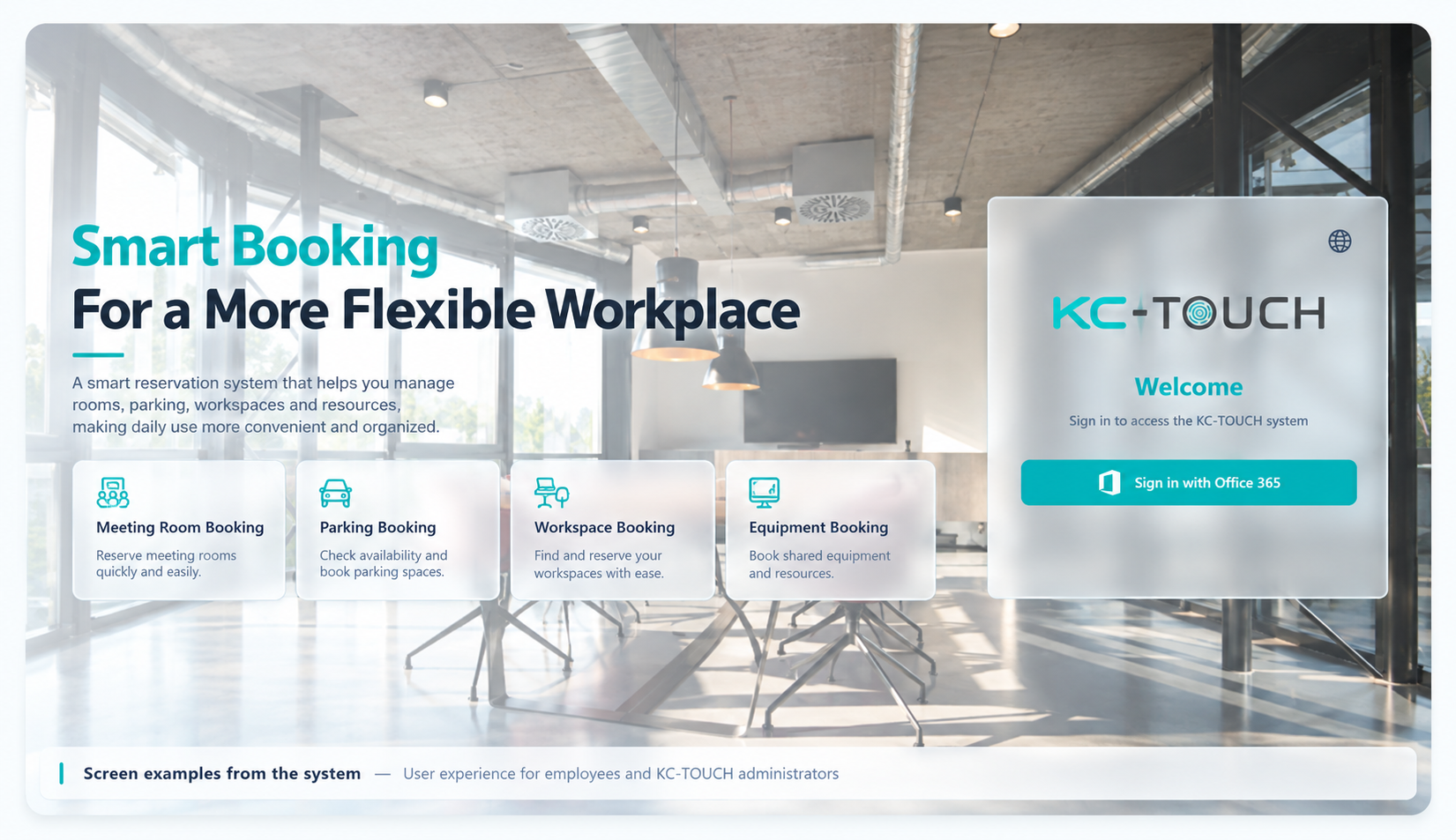
Screenshots from the live system showing the experience for employees and administrators
ChatGPT Image Sep 29, 2026, 10_15_58 AM.png
KC TOUCH calendar and booking schedule

Calendar and Booking Schedule — overview of resource bookings in Calendar View

KC TOUCH Admin Dashboard & Reports

Admin Dashboard & Reports — usage overview and reports for administrators

FAQ

Frequently Asked Questions about Meeting Room and Enterprise Resource Booking

What is KC TOUCH and what can be booked?

KC TOUCH is an enterprise resource booking system covering meeting rooms, fleet vehicles, hot desks, and shared assets — all from a single platform.

How does KC TOUCH prevent double bookings?

All bookings are consolidated in one shared calendar. Users can see real-time availability before booking, eliminating conflicts from multi-channel coordination.

Does KC TOUCH integrate with Microsoft 365 and Google Calendar?

Yes, KC TOUCH supports calendar integration with both Microsoft 365 and Google Workspace to sync booking data with your organization's calendars.

How does the system handle no-shows?

With check-in policies enabled, if no check-in is recorded within the allowed window, the room is automatically released for others to book.

What types of vehicle bookings does KC TOUCH support?

KC TOUCH supports internal fleet management — employees can request vehicles for client visits, official errands, or off-site assignments.

What is Hot Desk booking?

Hot desk booking lets employees choose from a pool of shared desks rather than having an assigned seat — great for hybrid work arrangements.

Can administrators view reports and manage resources across multiple locations?

Yes. KC TOUCH supports centralized multi-location management and usage reporting. Administrators can use booking records, reservation history, and recorded check-in information to assess demand for meeting rooms, vehicles, desks, and equipment. These insights help guide resource allocation across workplace locations.

How much does KC TOUCH cost, and are installation and support available?

Contact KAI-COM for a demonstration and a project-specific quotation. Provide the types and quantities of resources, expected user numbers, room display requirements, and required integrations. KAI-COM offers consultation, installation, training, and after-sales support. Pricing and the services included will be specified in the project proposal.

How do I book a meeting room with KC TOUCH?

Select a meeting room, check the available date and time, enter the meeting details, and submit your booking. If approval is required, the request follows the configured approval process before the room can be used. At the scheduled time, check in using your organization’s designated method and check out when the meeting ends.

What equipment can be booked, and how are collection and return handled?

Organizations can make shared equipment available for booking, including laptops, projectors, cameras, monitors, and meeting equipment. Employees check availability and quantities, select the required booking period, and follow the organization’s collection and return procedures. Equipment booking does not, by itself, replace a complete asset register or depreciation accounting system.

KAI-COM Line Contact via Line
Free shipping nationwide

Free shipping nationwide

Free shipping

Genuine guarantee!

Genuine guarantee!

Authenticity Guaranteed!

Request a quotation

Request a quotation

Request your quotation

Free consultation

Free consultation

Help when you need it