

Mobile Device Management (MDM)
มาตรการป้องกันการโจรกรรม

MDM (Mobile Device Management) is a software solution that enables organizations to manage, monitor, and secure corporate devices through BizMobile Go!. It supports computers, tablets, and smartphones by providing centralized device management and security controls for all registered devices.
As a cloud-based MDM platform, BizMobile Go! allows organizations to remotely manage devices, simplify device deployment, control applications, and monitor daily operations. This helps reduce administrative workload while improving security and operational efficiency.

MDM_Biz_Mobile_Go-01.webp

Anti-Theft Protection

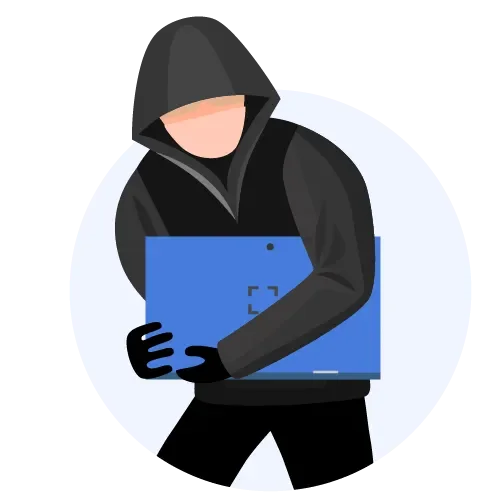
Mobile devices are at high risk of being lost or stolen, putting sensitive business data at risk as well. MDM provides remote lock and remote wipe capabilities, allowing organizations to secure devices and remove data remotely to prevent unauthorized access.

ควบคุมอุปกรณ์ได้ทั่วถึงใช้ได้กับทั้ง Computer, Tablet, Smart Phone รองรับได้ทั้ง Android ,ios และ Windows เพียงแค่เชื่อมต่ออินเตอร์เน็ต

Prevent Internal Fraud

Restrict the use of unauthorized applications and instantly lock devices when potential security threats are detected.

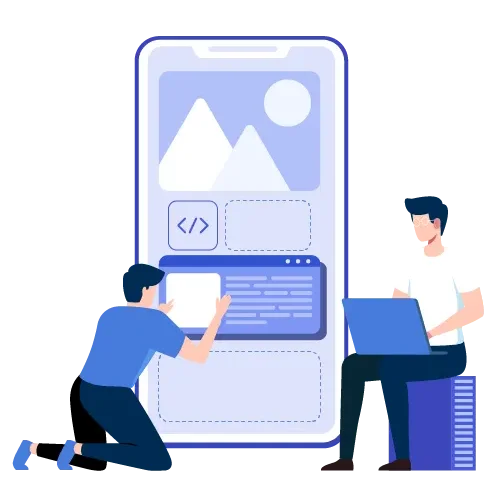
การรวมกันของการตั้งค่าและแอพ

Operating System Updates

Stay protected with the latest security features and enhancements. Keeping devices updated reduces the risk of vulnerabilities and data breaches.

ถูกโจรกรรม ทำเครื่องหาย

Centralized Configuration & Application Management

Different departments often require different applications and settings. MDM simplifies deployment, configuration, and management across all devices from a single platform.

ไม่ทราบสถานะตัวเครื่อง

Centralized Asset Management

Monitor and manage all registered devices through a centralized dashboard. View device status, compliance, and activity across multiple devices in real time.

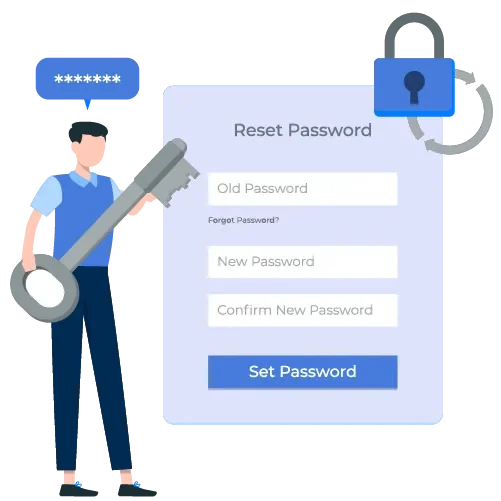
ลืมรหัสผ่านปลดล็อค

Comprehensive Device Control

Manage computers, tablets, and smartphones from anywhere. Supports Windows, Android, and iOS devices through an internet-connected cloud platform.

Are You Facing These Challenges?

MDM_Biz_Mobile_Go-07.webp

Lost or stolen devices

ใช้เวลาตั้งค่าอุปกรณ์เป็นจำนวนมาก

Forgotten device passwords

พนักงานดูสื่อบันเทิงในเวลางาน

Lack of visibility into device status

ฟังก์ชั่นที่แนะนำ

Concerns about data leakage

ฟังก์ชั่นที่แนะนำ

Employees using entertainment applications during working hours

Mobile Device Management

Excessive time spent configuring devices

BizMobile Go! Can Help

Comprehensive Device Management Features

Deploy applications to multiple devices simultaneously and configure settings consistently across all devices, saving time and reducing administrative effort.

MDM_Biz_Mobile_Go-14.webp

Remote Device Control

All policies and settings can be updated remotely without requiring physical access to the device.Restrict and manage device functions remotely, including Application usage, Phone calls, Camera access, Network connectivity. 
MDM_Biz_Mobile_Go-16.webp

Protection Against Device Loss or Theft

Remotely lock or reset devices to minimize the risk of data breaches. Passwords can also be reset remotely when needed.

MDM_Biz_Mobile_Go-15.webp

Real-Time Device Monitoring

Monitor the status of all devices through a centralized dashboard. Receive real-time alerts, identify issues quickly, and track device locations using GPS.

MDM_Biz_Mobile_Go-17.webp

Recommended Features

BizMobile Go! enables administrators to instantly lock or reset devices. Commands can be issued even when devices are offline and will automatically execute once the device reconnects to the network.
The system also supports selective data deletion, allowing organizations to remove only corporate data managed by the MDM platform while preserving personal information. In addition, administrators receive alerts when devices are jailbroken or security policies are violated.

BizMobile Go! Dashboard & Reporting Features

ระบบส่งข้อความแจ้งไปยังอุปกรณ์ทุกเครื่อง

Detailed usage dashboard and device status overview

MDM_Biz_Mobile_Go-21.webp

Audit logs and monitoring alerts

MDM_Biz_Mobile_Go-22.webp

Notifications when prohibited applications are detected

MDM_Biz_Mobile_Go-23.webp

Broadcast messaging to all managed devices

BizMobile Go! helps organizations manage, protect, and control mobile devices such as smartphones and tablets. By centralizing device management and security controls, businesses can improve operational efficiency, reduce risks, and strengthen data protection across the organization.
For more information about BizMobile Go! and Mobile Device Management solutions, please contact KaiCom through any of our available channels.

FAQ

What is Mobile Device Management (MDM)?

Mobile Device Management (MDM) is a centralized solution that enables organizations to remotely manage, monitor, and secure corporate devices, including computers, smartphones, and tablets, from a single management platform.

What devices and operating systems does BizMobile Go! support?

BizMobile Go! supports computers, notebooks, tablets, and smartphones running Windows, Android, and iOS. Devices can be managed remotely through a cloud-based platform from anywhere with an internet connection.

How does MDM improve enterprise security?

MDM helps protect corporate data with features such as remote lock, remote wipe, application restrictions, device monitoring, security policy enforcement, and centralized administration, reducing the risk of data breaches.

Can applications and device settings be deployed to multiple devices at once?

Yes. Administrators can remotely deploy applications, configure settings, and enforce security policies across multiple devices simultaneously through a centralized dashboard, significantly reducing IT management time.

What happens if a device is lost or stolen?

Administrators can remotely lock the device, wipe corporate data, reset passwords, and monitor device status to help prevent unauthorized access to sensitive business information.

Does KAI-COM provide MDM deployment and support services?

Yes. KAI-COM offers end-to-end Mobile Device Management services, including consultation, solution design, deployment, configuration, and ongoing technical support to help organizations manage and secure their devices efficiently.

Can I manage devices across multiple branches from a central dashboard?

Yes. Administrators can monitor and manage all enrolled devices from a centralized dashboard, regardless of their location, as long as they are connected to the internet.

Can MDM deploy applications to multiple devices at the same time?

Yes. MDM allows IT administrators to remotely install, update, and remove applications across multiple devices simultaneously while assigning specific apps to different departments.

Can I enforce company policies on employee devices?

Yes. Administrators can apply security policies such as restricting app installation, controlling camera access, disabling USB functions, and managing network settings to meet corporate security standards.

What happens when an employee leaves the company?

Administrators can remotely remove corporate data, revoke access permissions, reset the device, and prepare it for the next employee without requiring physical access.

What types of organizations benefit from MDM?

MDM is suitable for businesses of all sizes, including corporations, factories, schools, hospitals, government agencies, and organizations managing large numbers of smartphones, tablets, or computers.

How does MDM reduce the workload of IT teams?

MDM automates device provisioning, software deployment, policy enforcement, and troubleshooting, enabling IT teams to manage hundreds or thousands of devices efficiently from a single platform.

Can administrators monitor device status in real time?

Yes. MDM provides real-time visibility into device status, operating system versions, connectivity, compliance, and other key information through a centralized dashboard.

Does KAI-COM provide MDM deployment and support services?

Yes. KAI-COM offers consulting, deployment, configuration, administrator training, and ongoing technical support to help organizations maximize the value of their MDM solution.

KAI-COM Line Contact via Line
Free shipping nationwide

Free shipping nationwide

Free shipping

Genuine guarantee!

Genuine guarantee!

Authenticity Guaranteed!

Request a quotation

Request a quotation

Request your quotation

Free consultation

Free consultation

Help when you need it